
When a device is installed in a vehicle, it goes through a discovery process to identify the vehicle, including its VIN (vehicle identification number), make, and model, and to begin reporting vehicle bus (VBUS) data. The Vehicle Discovery Dashboard, on the Discovery tab of the Vehicle Manager, shows you where each vehicle in your account is in that process, in one place, without checking devices one at a time.
You can use the dashboard to:
- Confirm that recently installed vehicles have completed discovery
- Find vehicles that are blocked and need follow-up
- Check that an issue has been resolved
Opening the Dashboard
- Click Vehicle on the left sidebar menu and select Vehicle Manager from the flyout menu that appears.
- Click the Discovery tab.
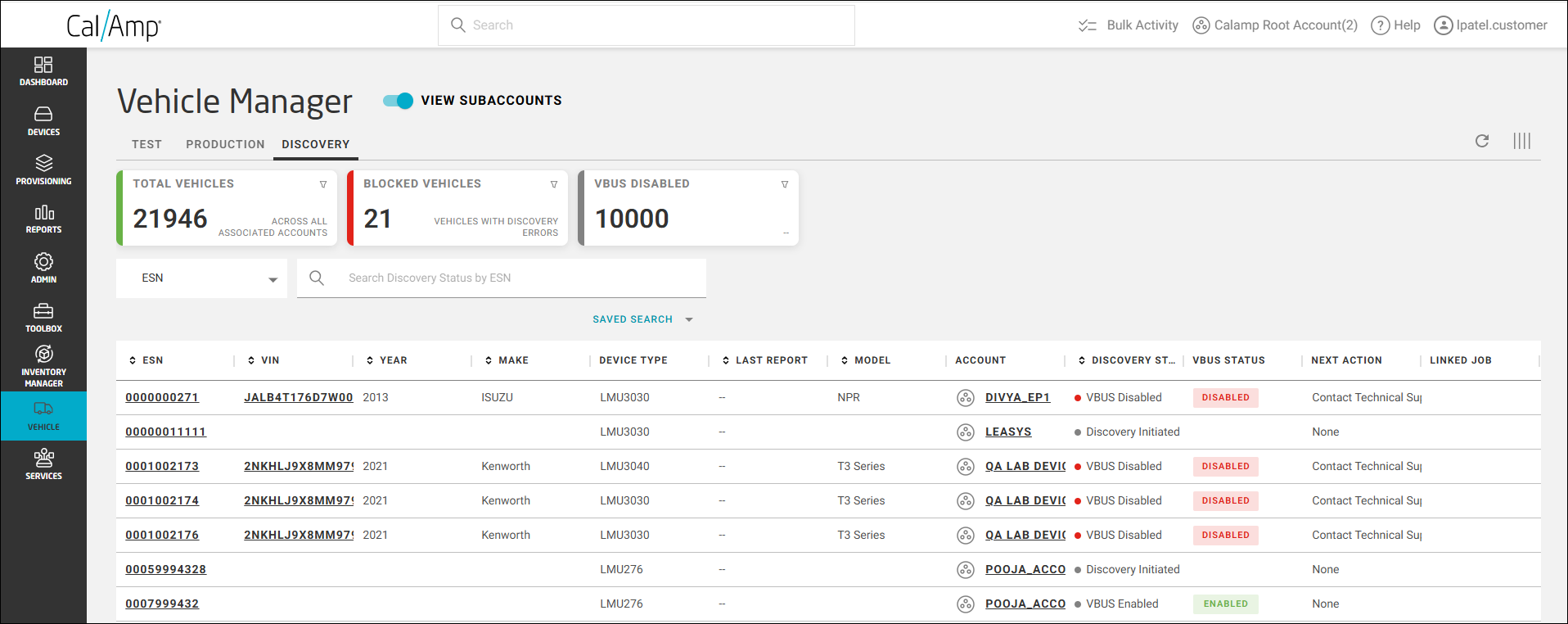
The dashboard shows vehicles for the account you are logged in to. (See Switching Accounts for details on how to change the account you are viewing.) To include vehicles in your subaccounts, turn on View Subaccounts.
Who Can See the Discovery Tab
The Discovery tab is available to users with the Customer Admin or Customer Admin Advanced role.